Your Messages are hiding gigabytes — and everything you've ever been sent.
MessKit frees the space and finds the stuff. Every attachment reclaimable; every link, address, contact, and payment organized. Your conversations are never touched, and everything goes to the Trash first.
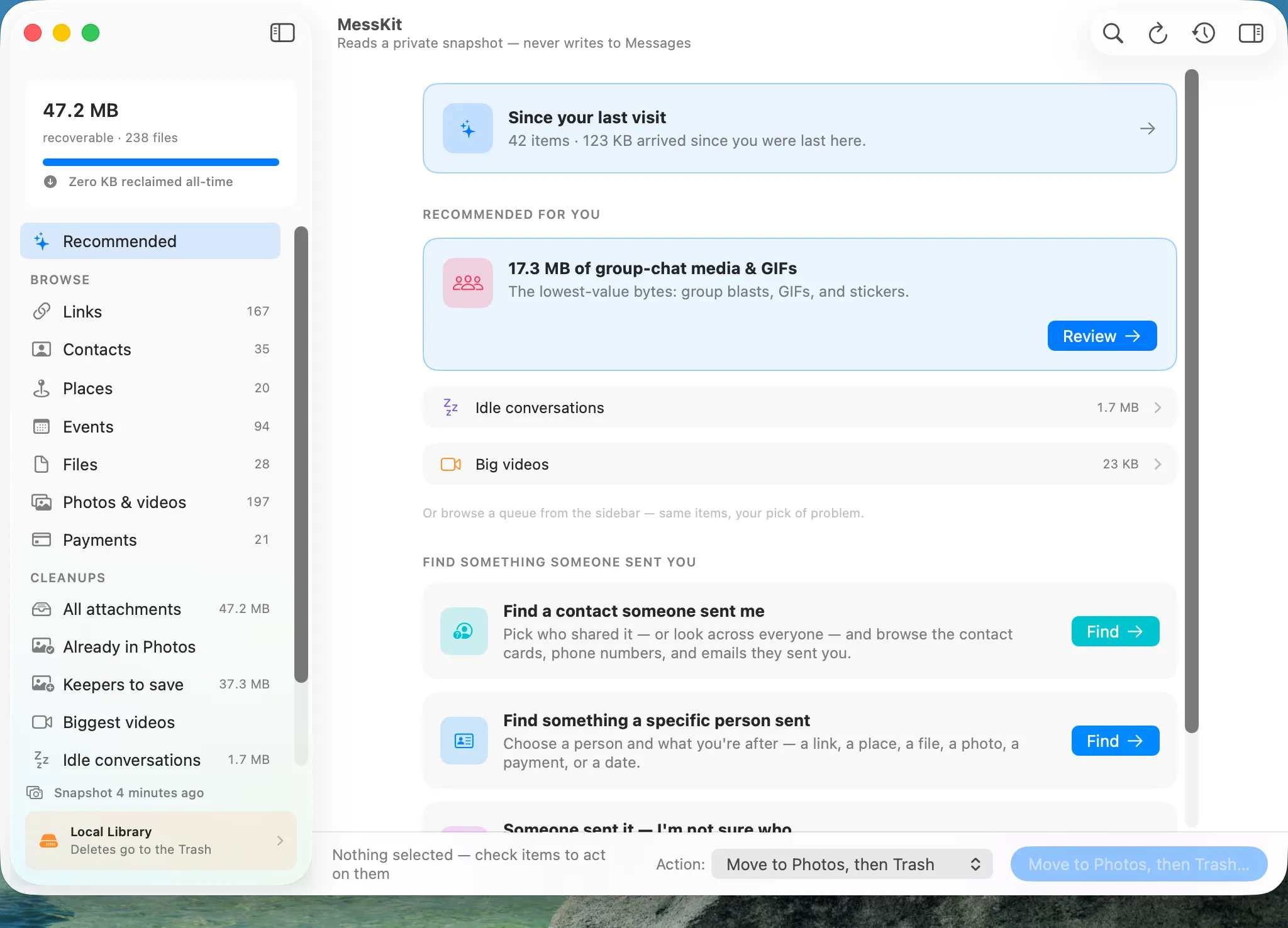
One screen, both jobs: ranked cleanups on top, find-anything below.
Reclaim
The biggest safe win on your disk
Years of videos, GIFs, stickers, and duplicate photos sit inside Messages where nothing ever cleans them up. MessKit scans it all in about a minute, then queues the safest wins: attachments already in your Photos library, dead group-chat media, the biggest videos, idle conversations.
You check what goes, and the action bar shows exactly how much you get back. MessKit never permanently deletes anything. Removed files land in the macOS Trash, recoverable until you empty it.
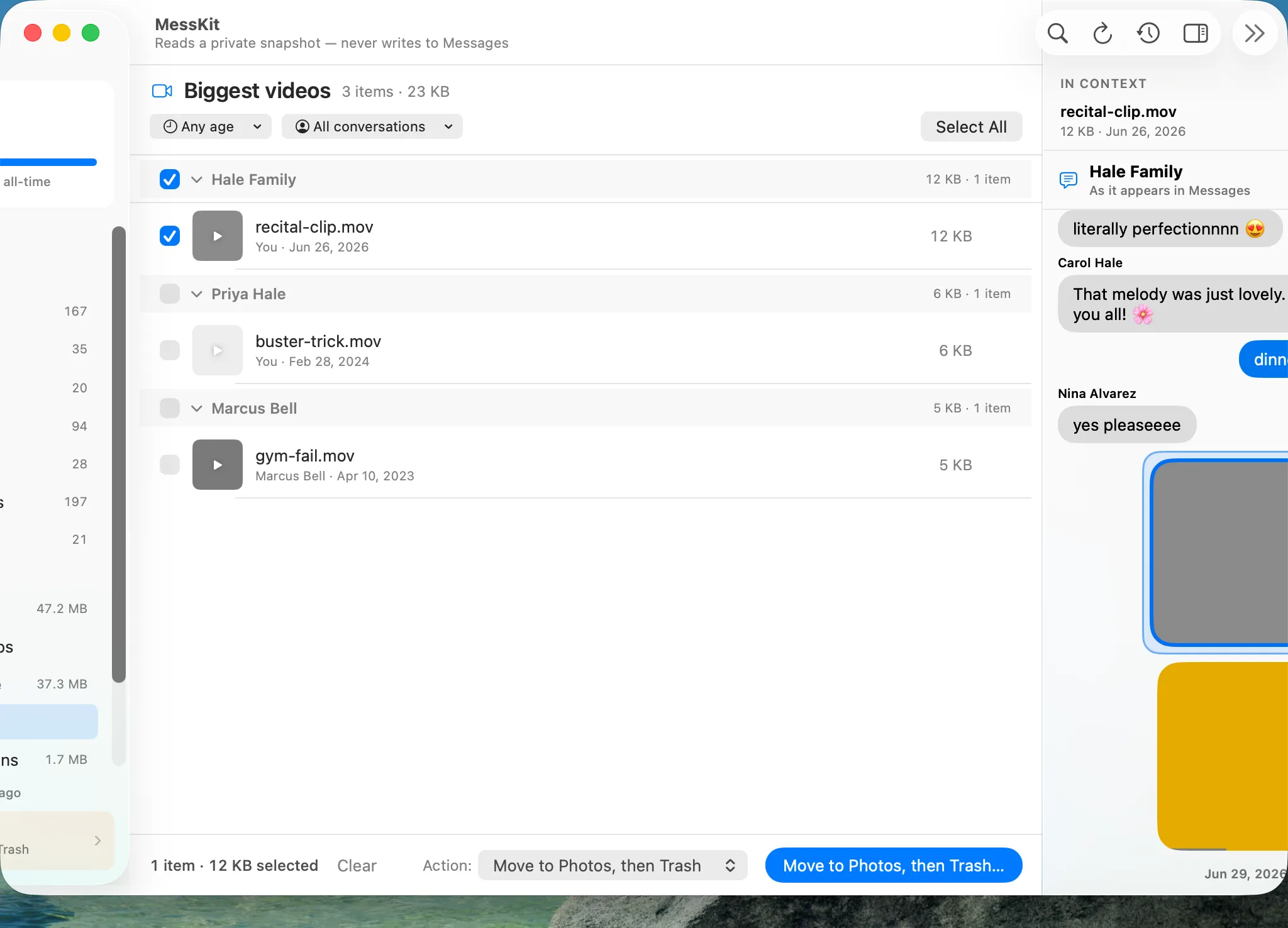
Nothing is abstract — every item shows in its conversation before you decide.
Find
Stop scrolling. Start finding.
That address from March, the contact card someone shared at dinner, the link you swore you saved — MessKit reads every conversation once and builds a Library out of it: links, contacts, places, events, files, payments, and media, grouped by the person who sent them.
Guided find flows answer the question you actually have: “find a contact someone sent me,” “find something a specific person sent.” One click lands you on the exact spot in the conversation.
Browsing the Library is free forever — copy, open, and drag anything out without paying a cent.
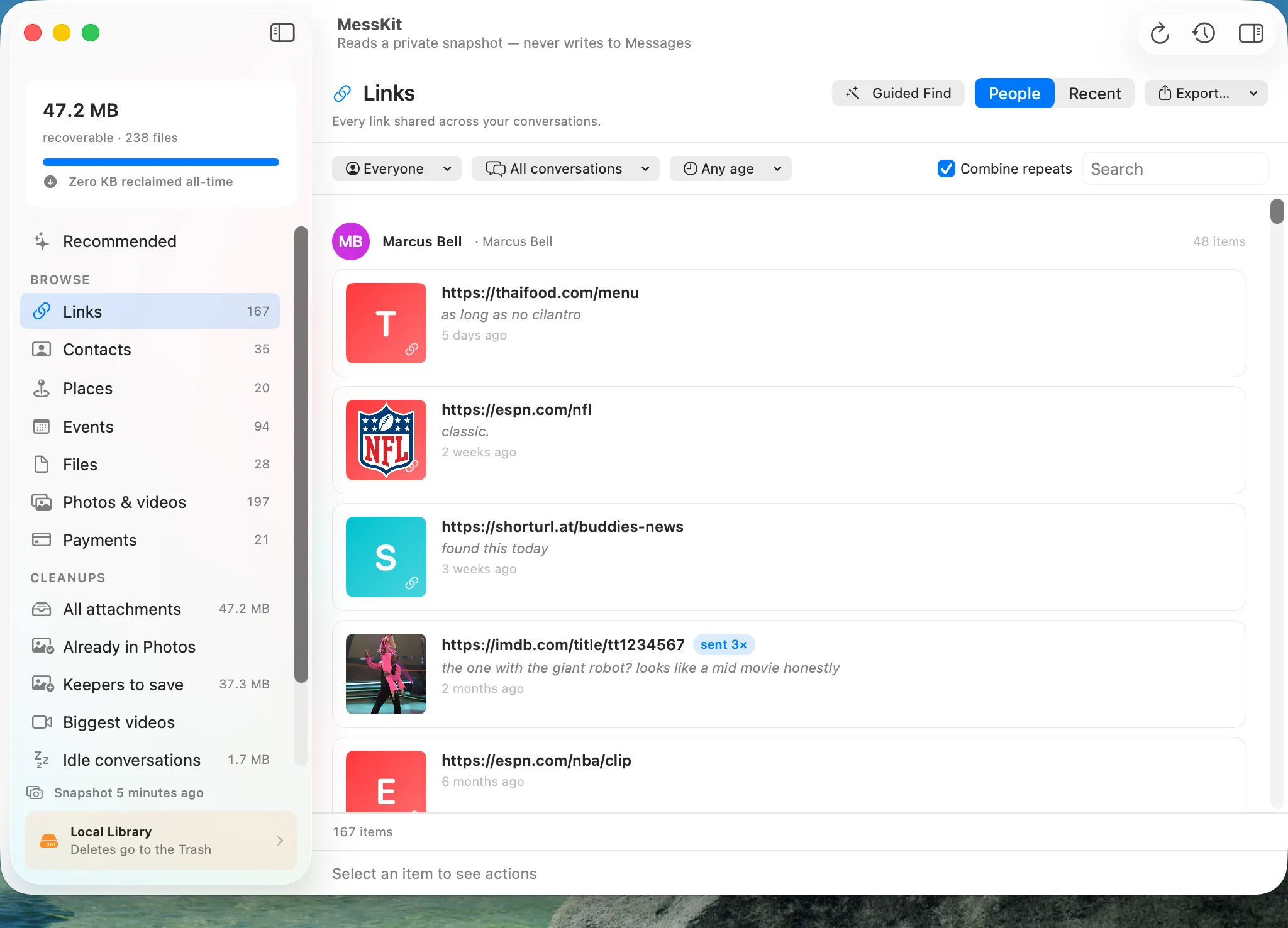
Every link anyone ever sent you — by person, in context.
The part you’re worried about
“What if it deletes something I can never get back?”
It can’t. Not as a promise — as a construction. In the same words the app uses on screen:
-
Read-only on Messages
MessKit never opens your Messages database for writing.
-
Conversations are never touched
Cleanup removes attachment files only — never a message, never a conversation.
-
Everything goes to the Trash first
MessKit never permanently deletes anything. Removed files land in the macOS Trash, recoverable until you empty it.
-
Preserve before remove
Saving to Photos confirms the import succeeded before the original is ever moved.
-
Every action is on the record
Each move and removal is written to a ledger you can inspect in History — with a “Show in Trash” for every item.
-
Your messages never leave your Mac
The engine that reads your Messages data contains zero network code. No telemetry, no analytics, no phone-home.
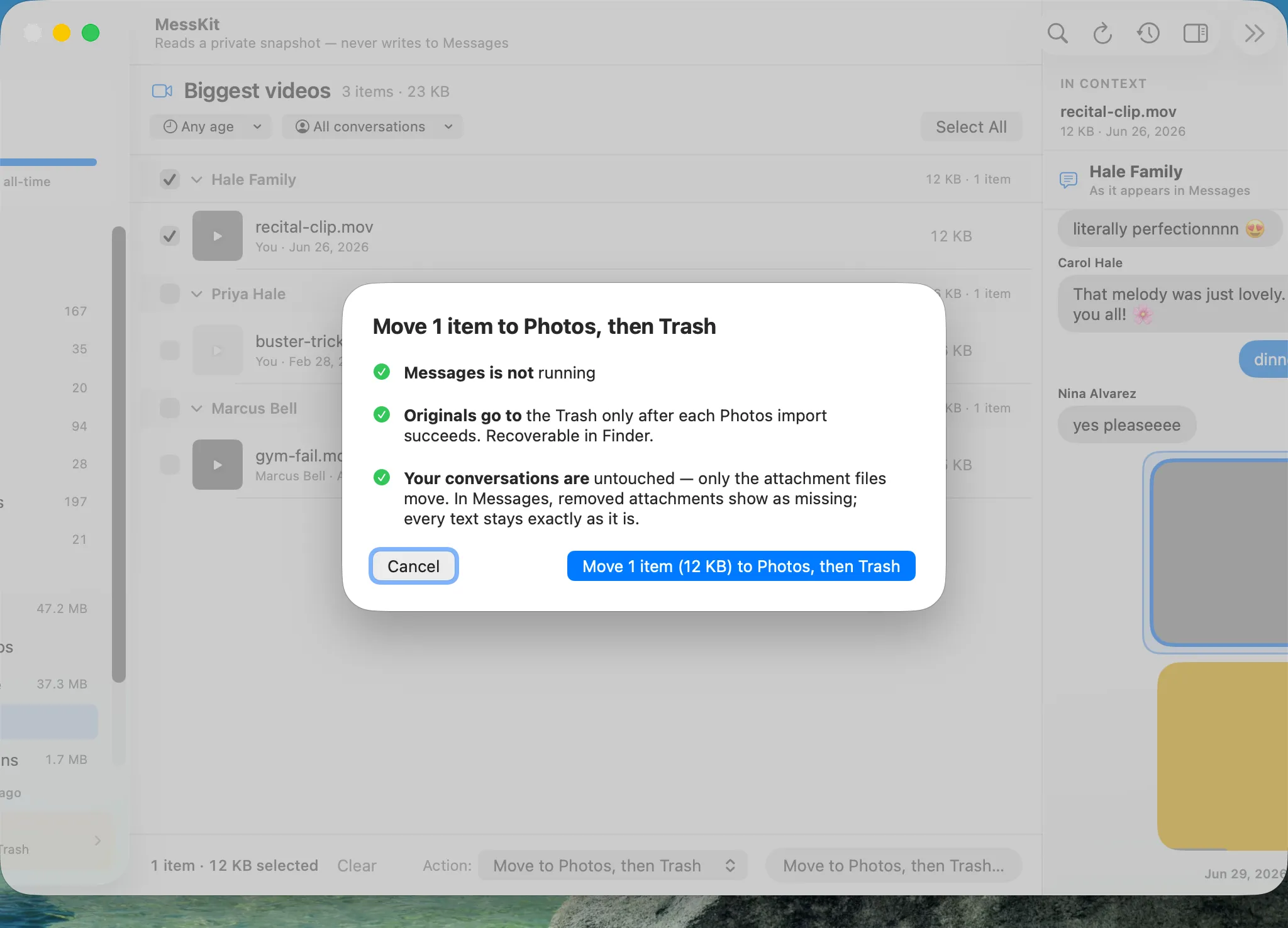
Before anything moves, the confirmation sheet proves it — in plain language, every time.
Messages in iCloud? Read this first.
The only cleaner that tells you the truth about Messages in iCloud
When Messages in iCloud is on, Apple treats local attachment files as a re-downloadable cache: deleting them frees space on this Mac, but iCloud will hold — and may re-download — its copy. Other cleaners let you believe otherwise. MessKit says which kind of space every action frees, ranks what’s actually worth acting on, and walks you to Apple’s own controls for the real iCloud fix.
If Messages in iCloud is on, freeing iCloud space uses Apple’s own tools — with MessKit’s guidance.
Attachments that exist only in iCloud are never selectable for deletion and never counted in “recoverable” totals.
More jobs it does well
Built for the reasons people actually show up
Cleaning a family Mac?
Clean up a family Mac with training wheels on: every change recorded, everything undoable.
Getting your stuff out?
Get your stuff out of Messages — photos to Photos, contacts to Contacts, everything else to a spreadsheet.
Keeping someone’s memory safe?
Save what matters from a conversation before you let the rest go.
Don’t trust tools near your messages?
Read-only by construction — and the app shows you exactly what it does and doesn’t touch. Read the privacy policy — it’s short, specific, and verifiable.
See everything it would do. That part’s free.
Scan, browse the Library, and inspect it all before paying anything. When you’re ready to act: $39.99, once.
Requires macOS 26 (Tahoe) or later.